

XpressAccess
Teach Kids Smart Money Habits
With KidsXpress accounts and the XpressAccess app, kids learn to earn, save, and spend.




Getting started with kids banking is easy:
Open a KidsXpress Account
A bank account for kids and teens designed to teach real-world money skills.
Parents Stay in Control
Manage your child’s account inside the Xpress by FCB mobile banking app.
Kids Use XpressAccess
Kids and teens use the XpressAccess app to safely learn how to manage money.
The KidsXpress account is a kids bank account that helps children and teens learn how to earn, save, and spend responsibly—all with guidance from a parent or guardian.
✔ Parent-connected account for added security
✔ Built-in controls for safer spending
✔ Hands-on financial learning for kids and teens
Whether you're opening your child’s first bank account or teaching a teen how to manage money, KidsXpress provides the tools to get started.
A Banking App Designed Just for Kids, teens, and young adults!
The XpressAccess mobile app is a banking app for kids that turns everyday money decisions into learning opportunities.
Kids can:
It's a safe, interactive way to introduce financial literacy for kids.
Manage Everything in Your FCB Mobile Banking App
Parents and guardians stay in control through the Xpress by FCB mobile app, making it easy to guide and monitor your child’s financial activity.
This balance of control and independence helps kids build strong money habits with confidence.




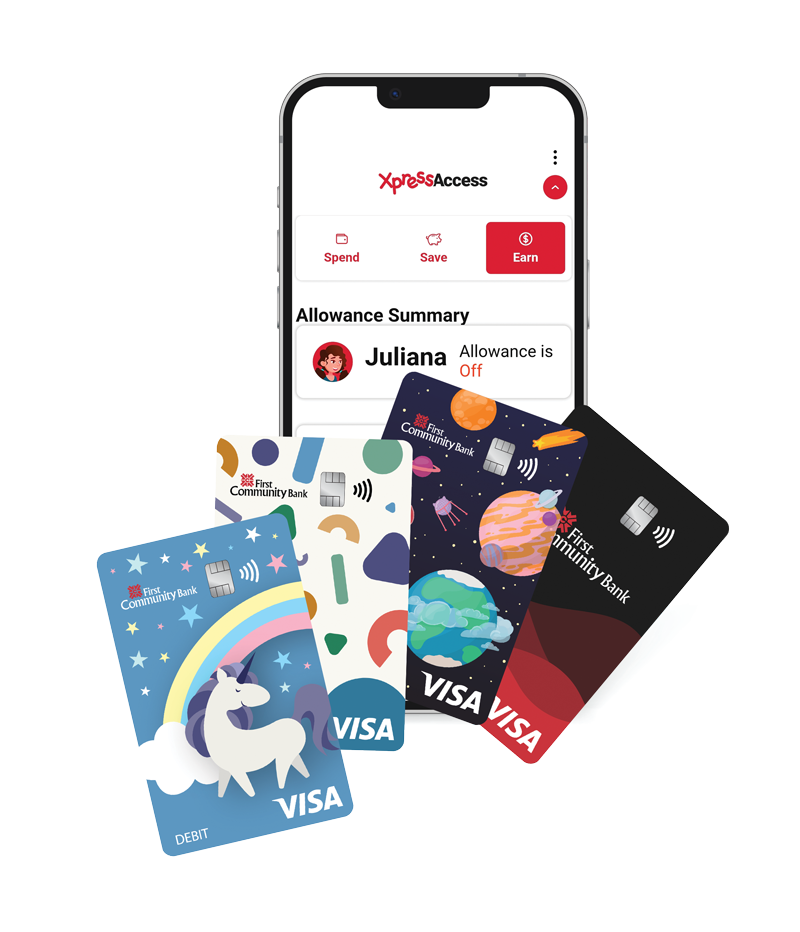
A Debit Card for Kids That Teaches Real-World Spending
Each KidsXpress account includes a debit card for kids, giving them the opportunity to practice spending responsibly.
Make everyday purchases
Learn budgeting and decision-making
Gain confidence using a debit card
Parents maintain visibility and control, making it a safe way to introduce real-world banking.
Visit your local branch or Open an Account today.
At First Community Bank, we believe financial education starts early. Our kids banking solutions are designed to help families build confidence and long-term success.
Trusted community bank, delivering personalized service with no fees
Tools designed for kids, teens, young adults, and parents
Safe, guided introduction to money management
Long-term relationship building for growing families
We’re here to support your child’s financial journey—every step of the way.
Q: What is XpressAccess?
A: XpressAccess is an app that allows children to manage their KidsXpress bank account while learning to build strong financial habits. Designed for kids, teens, and young adults, it provides a hands-on way to develop money management skills.
For parents, XpressAccess is also available within Online Banking as an interactive tool. It allows you to assign tasks, reward achievements such as completing chores or earning good grades, and encourage positive financial behaviors by easily transferring money from your account to your child’s.
Your child can request money, and you can provide allowances, send spending money, or even lend funds—all within one convenient platform. To keep kids motivated, XpressAccess also rewards positive financial decisions with fun digital trophies.
Q: What is required for my child(ren) to enroll in XpressAccess?
A: To enroll in XpressAccess, the following requirements must be met:
Q: What account types can be used as a transaction account with XpressAccess?
A: To use XpressAccess, the child must have a KidsXpress account in which they are the primary owner and a parent is listed as a joint owner.
The parent must also have a separate account with First Community Bank where they are either the primary or joint owner. Both accounts must be active and in good standing for the child to be registered and use the XpressAccess platform.
Q: What if my child forgets their username or password for XpressAccess?
A: If your child forgets their username or password, they can select the “Forgot Username or Password” link on the XpressAccess login screen to recover their login credentials.
Alternatively, as a parent, you can reset your child’s password through Online Banking by accessing the XpressAccess widget and selecting the password reset option.
Q: What is XpressAccess?
A: XpressAccess is an app that allows children to manage their KidsXpress bank account while learning to build strong financial habits. Designed for kids, teens, and young audlts, it provides a hands-on way to develop money management skills.
For parents, XpressAccess is also available within Online Banking as an interactive tool. It allows you to assign tasks, reward achievements such as completing chores or earning good grades, and encourage positive financial behaviors by easily transferring money from your account to your child's. Your child can request money,and you can provide allowances, send spending money, or even lend funds—all within one convenient platform. To keep kids motivated, XpressAccess also rewards positive financial decisions with fun digital trophies.
Q: How do I enroll in XpressAccess?
A: Your parent must enroll you from Online Banking by clicking on the XpressAccess widget.
Q: How do I create or update my budget?
A: To create or update a budget, follow these steps:
Once completed, a graph displaying your budget goals will appear on the Save screen.
Q: How do I earn trophies?
A: You can earn a trophy by completing any of the following requirements:
Q: How do I view my place on the trophy leaderboard?
A: To view your place on the trophy leaderboard, follow these steps:
Teaching kids how to manage money early helps them develop responsibility, confidence, and independence.
With KidsXpress and XpressAccess, your child learns by doing—setting the foundation for smart financial decisions in the future.
COPPA Privacy Notice
Effective Date: January 14, 2026
First Community Bank (“we,” “us,” or “our”) is committed to protecting the privacy of all users, including children under the age of 13. This COPPA Privacy Notice (“Notice”) is designed to comply with the Children’s Online Privacy Protection Act (“COPPA”) and outlines how we collect, use, and disclose personal information from children under 13 who use our website (the “Site”) and Xpress Access mobile application (the “Services”).
This Notice applies only to the information we collect from children under 13. Information collected from other users (e.g., teens or adults) is governed by our general Privacy Policy. Use of our Site and Services is also subject to the Xpress Access User Agreement.
Collection of Information
First Community Bank operates and manages the Site and Services. We collect personal information from children as outlined in this Policy.
You may contact us at:
First Community Bank
Address: P.O. Box 989, Bluefield, VA 24605
Web: https://www.firstcommunitybank.com/
Phone: 800-971-4671
Email: COPPApolicynotice@fcbinc.com
Third-Party Operators
Xpress Access is provided in partnership with the following third-party operators:
These third-party operators may have access to children’s data and First Community Bank may share aggregate or de-identified data with these third-party operators to support product functionality and performance monitoring. All inquiries regarding the collection or use of children’s data by us or any third-party operator may be directed to First Community Bank.
General Information We Collect
We collect the following information:
First Community Bank does not collect more information than is reasonably necessary for a child to participate in or use the Site or Services.
How Information is Collected
We may collect information directly from children during use of the Services. Additionally, we automatically collect usage data through cookies and similar technologies to support the internal operations of our Services. This may include:
This data is not used to track users across third-party websites or apps.
Other Information Collected
We collect children’s performance data and activity within the Site and Service to support learning outcomes and engagement. This data may be used internally for product development and service improvement. This data is not used for commercial purposes in personally identifiable form and is otherwise de-identified or aggregated before being used in analysis or research.
How We Use Children’s Information
We use the information we collect from children for the following purposes:
We collect limited personal information from children to provide educational and financial services, including:
We do not use children’s information for behavioral advertising or marketing.
How We Share Children’s Information
We do not sell or allow children to make public any personal identifiable information.
We may share information:
Parental Rights
At any time, parents or legal guardians may review personal information collected from their child, delete or make a request to us to delete their child’s personal information, and withdraw consent for further data collection or use. By agreeing to the collection and use of your child’s information, you acknowledge, consent, and agree to allow First Community Bank to share such information with third-party operators as disclosed herein, provided, however, that you may still refuse to allow disclosure to third-parties unless such disclosure is an integral part of the Service.
To exercise these rights please contact us. Verification of identity will be required. Parents or legal guardians may also delete the child’s profile.
Please note that deleting data or withdrawing consent may disable access to some or all features of Services.
Data Retention and Deletion (COPPA Compliant)
1. Purpose
This section sets forth how we collect, store, retain, and delete personal information from children under 13 years of age, consistent with the Children’s Online Privacy Protection Act (COPPA) and the FTC’s implementing rule at 16 C.F.R. § 312.10. Children’s personal identifiable information is retained only as long as reasonably necessary to fulfill the specific purpose for which it was collected and is securely deleted thereafter.
2. Scope
This applies to:
3. Definitions
“Personal Information” has the meaning given in COPPA and includes identifiers such as name, address, email, username, account credentials, persistent identifiers, financial information, geolocation data, and any other information defined under 16 C.F.R. § 312.2.
“Retention Period” means the time during which the Bank maintains personal information before deletion.
“Deletion” means rendering data irreversibly unreadable and incapable of being reconstructed.
4. Data Collection Limitation
We will collect only the minimum amount of personal information necessary for:
We will not retain extraneous data that is not reasonably required for these purposes.
5. Retention
Personal information shall be retained only for as long as reasonably necessary to:
6. Deletion
When personal information is no longer needed for the purpose for which it was collected or for legal compliance, we shall delete it using reasonable measures to protect against unauthorized access or use of said personal information.
Parents or legal guardians may request that their child’s personal information be deleted, and upon receipt of such request, we shall delete the child’s personal information within a reasonable time.
Upon account closing or deactivation, we shall delete a child’s personal information within a reasonable time from the closing or deactivation date, provided that we shall retain such information as is required to meet legal, regulatory, security, and other record-retention requirements applicable to financial institutions.
Once data is deleted it cannot be reversed or undone.
7. Third-Party Service Providers
All vendors handling COPPA-covered data must:
The Bank may from time-to-time conduct periodic audits to ensure compliance.
Changes
This Notice is effective as of the date listed above. We may update it from time-to-time to reflect changes in legal requirements or service offerings.
Any material changes to this Notice will be posted on our website and highlighted for parental review. In certain cases, we may provide direct notice to parents in advance of the change.